View product
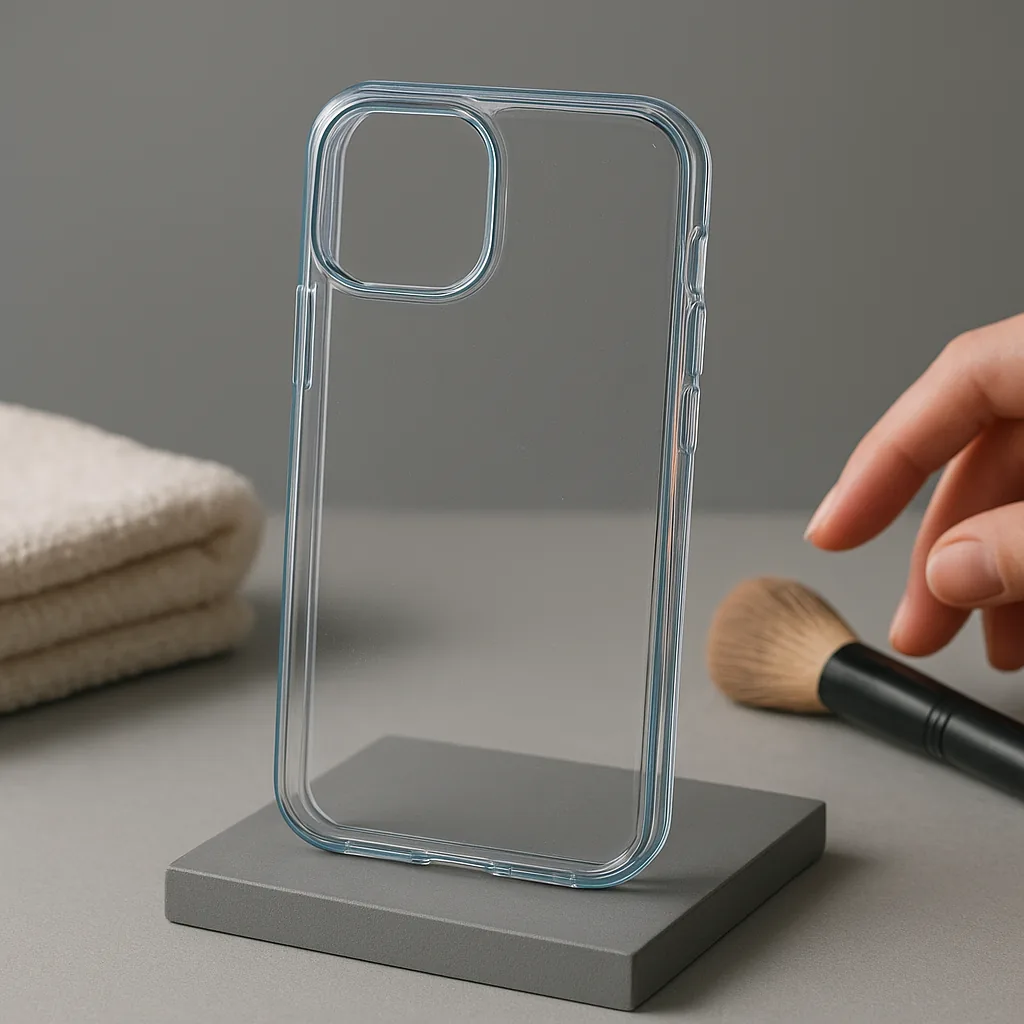
ClearLine transparent case
A transparent flexible case that keeps the handset finish visible.
View productAftercare notes
Routine inspection helps keep dust away from case interiors, prevents avoidable cable strain and makes visible wear easier to act on before the next use.
View product
A transparent flexible case that keeps the handset finish visible.
View product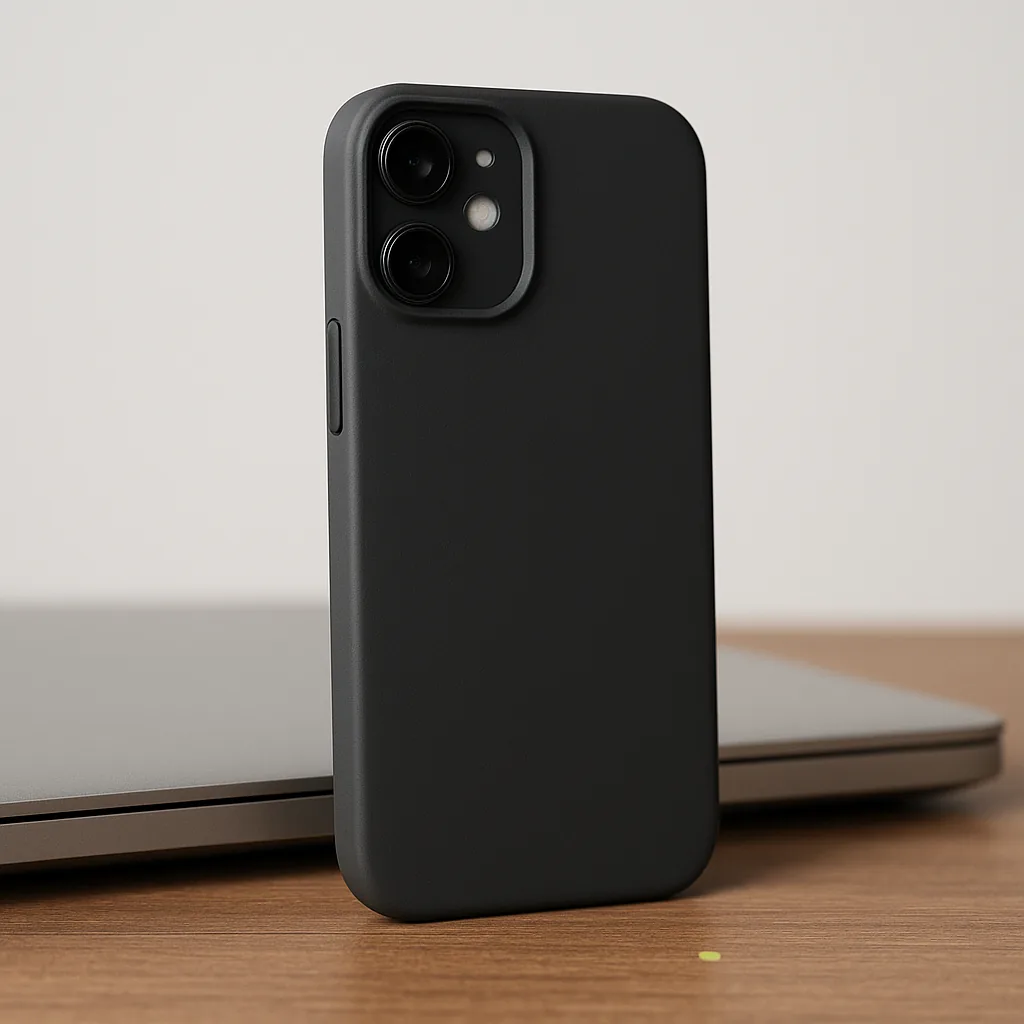
View product
A flexible soft-touch case with a continuous edge and covered button areas.
View productRemove a phone case carefully from one edge, following the shape of the shell rather than sharply twisting the handset. Clear loose grit from the interior with a soft cloth, use only suitable mild cleaning methods and let every surface dry fully before refitting.
Disconnect a charging cable by holding the connector body instead of pulling the lead. Store it in a loose curve, avoid tight knots and keep it away from chair wheels, closing drawers, heat sources, liquids and places where the connector can be crushed.
Care cannot reverse damage. Stop using an accessory if a case no longer holds securely or if a cable shows split insulation, exposed material, deformation, looseness, unusual heat or damage around either connector.
Unplug accessories and follow the handset maker guidance before removing the case.
Work around the flexible area without forcing camera borders, button covers or narrow bridges.
Use a soft cloth and a mild method appropriate to the case material, avoiding abrasive tools and harsh chemicals.
Check that the case and handset are fully dry, then align ports and controls without force.
Light, heat, skin oils and use can change the appearance of clear material; clean gently and expect normal cosmetic ageing.
Keep them away from sharp keys and aggressive cleaners that may mark, polish or degrade the finish.
Inspect joins, corner sections and raised rims for distortion that could affect how securely the phone sits.
Check the weave near strain reliefs for fraying and make sure no internal material or sharp edge is exposed.
No. Let the case and handset dry fully before refitting so moisture is not trapped between them.
Avoid tight winding because repeated sharp bends near the connector can stress the cable. Use a loose curve instead.
Do not rely on an improvised repair. Stop using a cable with split insulation, exposed material or damaged connectors and replace it.
Periodic removal lets you clear trapped grit, check for moisture and inspect the case and handset contact surfaces.
If inspection shows damage, return to the catalogue and verify device fit, connector pair and length before choosing a replacement accessory.
Related products
A few catalogue examples that connect the guidance, process, or service topic to the actual storefront.
A transparent flexible case that keeps the handset finish visible.
From £16.00
View product
A flexible soft-touch case with a continuous edge and covered button areas.
From £19.00
View product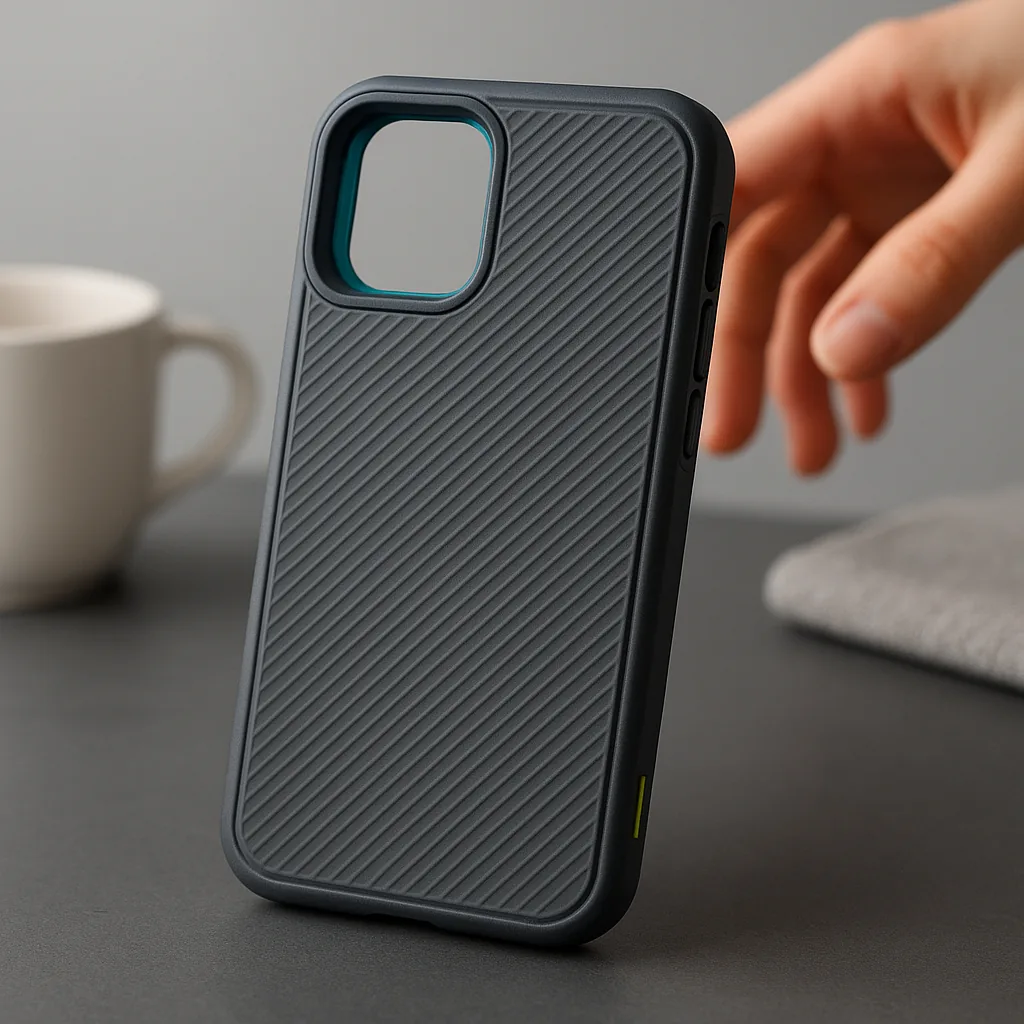
A structured dual-material case with reinforced-looking corners and a ridged back.
From £24.00
View productBasket
0 items in cart
Your cart is saved in this browser until you clear it. Need help now? Contact us on +44151 521 3726.